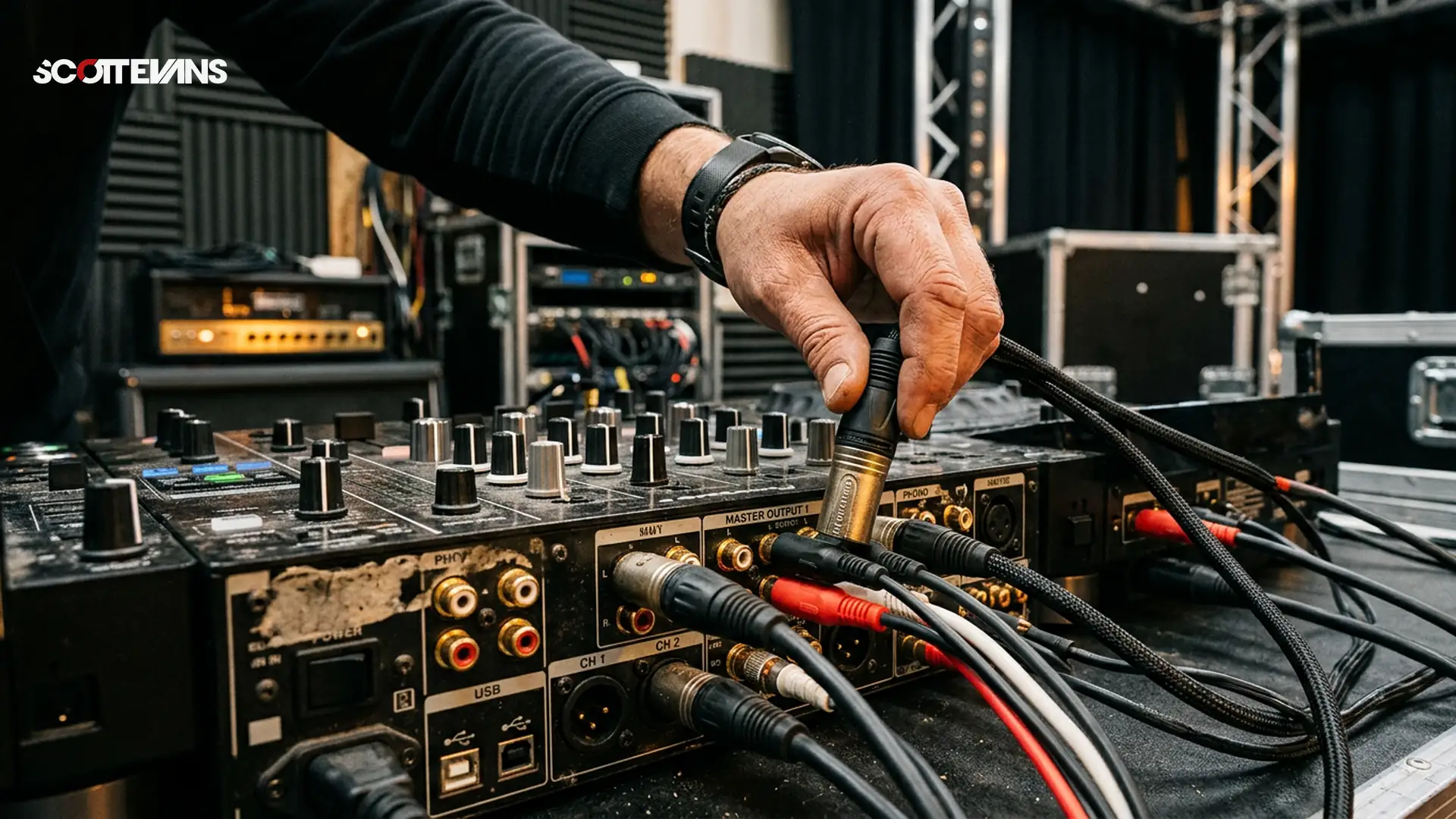
DJ Mixer Inputs & Outputs Explained: The Complete Connection Guide | Scott Evans DJ
Why Mixer Connections Make or Break Your Gig
In my 15 years as a professional DJ, I have walked into booths hosting everything from vintage rotary mixers to the latest Pioneer DJM-A9 units. The one skill that has saved my performance every single time is understanding signal flow. When you comprehend what each socket does on the back of that mixer, you transform from a nervous guest into a confident technician who can troubleshoot ground hums, optimize gain staging, and adapt to any venue's sound system.
This knowledge becomes critical when you are opening for a headliner and the previous DJ has unplugged half the booth, or when you are playing a festival with a complex send/return setup for external effects. Let us break down every connection you will encounter so you never fumble in the dark behind the decks again.
| Connection Type | Impedance | Signal Level | Best For | Cable Length |
|---|---|---|---|---|
| Line Input | 10kΩ | 150mV-2V | CDJs/Controllers | <3m (RCA) |
| XLR Master | 600Ω balanced | +4dBu | PA Systems | 100m+ |
| RCA Master | Unbalanced | -10dBV | Home monitors | <6m |
| Digital (Coax/Optical) | 75Ω | SPDIF/AES | High-end CDJs | <10m |
Understanding Your Inputs: From Vinyl to Digital
Phono vs Line: The Critical Difference
When I first started playing vinyl, I learned the hard way that plugging a CDJ into a phono input creates distorted, overloaded audio that peaks constantly. Conversely, connecting turntables to line inputs results in barely audible, thin sound lacking bass response. This happens because phono inputs contain specialized preamplification circuits that apply the RIAA equalization curve, boosting bass frequencies while cutting highs to compensate for how vinyl records are physically cut.
Professional mixers like the Allen and Heath Xone:96 or Pioneer DJM-V10 feature dedicated phono preamps with specific input impedance of 47 kilohms and capacitance loading between 100-400 picofarads. These specifications match the electrical characteristics of moving magnet cartridges, ensuring accurate frequency response across 20Hz to 20kHz. High-end mixers use discrete Class-A preamp designs that minimize noise floor, while budget units often employ integrated circuits that introduce higher total harmonic distortion (THD).
Pro Move: Always verify your mixer's phono input capacitance matches your cartridge specifications. Mismatched capacitance creates resonant peaks in the high frequency range, causing sibilance and harshness in vocal recordings.
The Importance of Proper Grounding
Next to every phono input, you will find a metal earth pole or grounding post. This is not optional decoration. Turntables generate static electricity through stylus friction and motor operation. Without proper grounding, this electrical potential creates a 50 or 60Hz hum (depending on your region's mains frequency) that bleeds into your audio path.
I always carry a spare ground wire with spade connectors in my gig bag. When setting up Technics SL-1200s or similar decks, I connect the ground lead before plugging in the RCAs. If you hear persistent buzzing that changes when you touch the mixer chassis, you have a ground loop issue. Sometimes, lifting the ground on one piece of equipment using a ground loop isolator solves this, though purists argue this affects sound quality slightly.
The Scott Evans DJ Takeaway
Digital Inputs and Microphone Connections
Modern professional mixers increasingly feature digital inputs via coaxial or optical TOSLINK connections. These accept SPDIF signals from CDJs or digital turntables like the Denon SC6000, keeping the signal in the digital domain until the mixer's internal digital signal processor (DSP) handles the summing and effects. This eliminates analog-to-digital conversion noise and maintains 24-bit/96kHz resolution throughout the signal chain.
Microphone inputs typically utilize combo jacks accepting both XLR and quarter-inch TRS connections. These inputs route through separate microphone preamps with different gain staging than line inputs, often including high-pass filters to eliminate proximity effect rumble below 80Hz.
Mastering Your Outputs: Signal Flow to the Crowd
Balanced vs Unbalanced: The Physics of Clean Audio
When I am sending audio to a club's PA system positioned 50 meters across the venue, I exclusively use XLR outputs. These balanced connections utilize three conductors: positive, negative, and ground. The audio signal travels simultaneously through the positive and negative phases, inverted 180 degrees relative to each other. At the receiving end, any interference picked up along the cable run cancels out when the phases are realigned, a phenomenon called common mode rejection.
RCA outputs, being unbalanced, work fine for short cable runs to nearby powered monitors or for home studio setups. However, in electrically noisy environments with dimmer packs and LED walls generating electromagnetic interference, unbalanced cables longer than 6 meters become antennas for noise.
Gear Warning: Never use cheap RCA cables for booth outputs in large venues. The capacitance in poor quality cables rolls off high frequencies above 10kHz, making your hi-hats sound dull and affecting your ability to beatmatch accurately.
Record and Booth Outputs Explained
Record outputs on high-end mixers capture signal pre-master volume, meaning your recording maintains consistent levels even if you adjust the main output for the room's changing acoustics as it fills with bodies. This is essential when using Set-to-Content to capture your performance for later analysis or social media content creation.
Booth outputs provide separate volume control for stage monitors. I prefer setting my booth volume so I can hear transitions clearly without masking the main PA's frequency content. This helps me execute precise cuts and scratches while protecting my hearing during long sets.
Advanced Connections: Effects, Networking, and Control
Send and Return Loops
Professional external effects units like the RMX-Ignite or classic Kaoss Pads require send and return connections to function as inserts in your signal chain. The send output routes audio to the effect unit at line level, while the return input brings the processed signal back into the mixer. This creates a parallel effects path where you can blend wet and dry signals.
When using time-based effects like reverb or delay, I route these post-fader so that when I cut the channel, the effect tails decay naturally rather than cutting abruptly. This requires understanding your mixer's internal routing architecture, which varies between manufacturers.
Pro DJ Link and USB Integration
Ethernet connections on modern Pioneer mixers enable Pro DJ Link functionality, synchronizing BPM data, beat grids, and even track metadata between CDJs and the mixer. This network topology allows you to access the Key Finder functions directly on the hardware, ensuring harmonic mixing without looking at your laptop.
USB connections serve dual purposes: audio interface functionality for computer-based DJ software, and firmware updates. Most professional mixers now offer USB-C connections with class-compliant drivers, eliminating the need for specific ASIO or Core Audio configurations. When using the DJ AI Suite for track analysis, these high-speed USB connections transfer large waveform data quickly between your library and the mixer's internal processor.
Pro Setup Checklist for Club Environments
Before every gig, I run through this mental checklist to ensure optimal signal integrity:
- Verify input sensitivity: Confirm switches are set to phono for turntables, line for CDJs
- Check grounding: Ensure all turntable earth wires are secured to the mixer's ground posts
- Test outputs: Verify XLR master outputs are delivering +4dBu signal to the house engineer
- Isolate booth monitors: Set booth volume independently to prevent feedback loops
- Digital sync: If using Pro DJ Link, confirm all devices show the same BPM on the network
Pro Move: Carry a passive DI box in your bag. If you encounter a mixer with only RCA outputs and the venue demands XLR connections, a DI box converts your unbalanced signal to balanced while providing ground lift options to eliminate hum.
<infographic-prompt>
Template: Process Flow
Title: "Complete DJ Mixer Signal Chain"
Steps:
1. "Source Input" (Turntable/CDJ) -> Decision: "Phono or Line?"
2. "Channel Preamp" (Gain staging + EQ)
3. "Effects Loop" (Send/Return processing)
4. "Master Bus" (Final summing and metering)
5. "Output Stage" (Balanced XLR to PA)
Color Scheme: Dark background with neon accents (#a9001a highlights)
Style: Technical schematic with 3D cable illustrations
Data Points: Signal levels at each stage (5mV -> 1.23V -> +4dBu)
</infographic-prompt>
Frequently Asked Questions
You will experience severe distortion and potentially damage your speakers. Phono inputs apply approximately 40-60dB of gain to amplify the weak 5mV signal from turntable cartridges. CDJs output standard line level at 150mV to 2V, which overloads the sensitive phono preamp circuitry causing harsh clipping. Always verify the input switch is set to line level for digital players.