Ableton Live 12.4 Beta: Link Audio & Studio Effects Deep Dive - Scott Evans DJ
What Is Ableton Live 12.4 and Why Should DJs Care?
If you have been waiting for a reason to dive deeper into music production, Ableton Live 12.4 might be the update that finally bridges your DJ setup with professional studio workflows. Currently in public beta, this iteration builds upon the foundation laid by Live 12.3 (which introduced stem separation capabilities) by adding network-based audio streaming and polishing the creative tools you use every day.
For working DJs, this is not just another point update. Link Audio fundamentally changes how you can collaborate with other producers during jam sessions or prepare edits across multiple devices. Imagine running Ableton on your laptop while streaming audio directly to a secondary machine running our DJ AI Suite for real-time analysis, all without a single cable connecting them. That is the reality Live 12.4 delivers.
Link Audio: The Game-Changer for Wireless Workflows
How Does Link Audio Work?
Link Audio utilizes your local network to stream high-quality audio between Ableton Live instances in real time. Unlike traditional audio interfaces that require physical cables, this feature transmits audio data over WiFi or Ethernet, allowing multiple producers to sync and share audio streams seamlessly.
Think of it as Ableton Link evolved beyond mere tempo synchronization. While standard Link keeps your BPM matched across devices, Link Audio actually transmits the audio itself. This means you could have Ableton Live running on your studio desktop while your laptop in the living room receives that audio stream to record vocals, or collaborate with a partner across the room without running long XLR cables.
Pro Tip
Practical Applications for Live Performance
DJs transitioning into live performance setups will find Link Audio particularly valuable for hybrid rigs. You can now run your main Ableton set on a powerful desktop while using a lightweight laptop or even Ableton Move as a secondary effects processor or stem separation station. The audio flows between devices without ground loops or cable clutter.
This also opens possibilities for educational scenarios. A instructor can stream their master Ableton session to students' machines, allowing them to hear isolated stems or full mixes without the acoustic bleed of speakers. The applications extend beyond the studio into classrooms and collaborative spaces.
Revamped Audio Effects: Fresh Sounds for Your Productions
Ableton did not just fix bugs in this update; they rebuilt three core effects from the ground up. These are not cosmetic changes. The underlying algorithms have been refined to offer more character and flexibility.
Erosion: Now Available on Move and Note
The Erosion effect, which adds digital grit and distortion through short delays and modulation, has been completely redesigned. Beyond the sonic improvements, this effect now syncs across Ableton's ecosystem, appearing on Ableton Move and Ableton Note. This means you can sketch ideas on your phone using Note with the same Erosion character you will later use in the studio.
For DJs creating on-the-go edits, this consistency matters. A bassline degraded with Erosion on your commute will sound identical when you open the project in Live 12.4 later.
Chorus-Ensemble and Delay: Studio-Grade Modulation
The Chorus-Ensemble effect now offers deeper modulation possibilities with improved stereo width algorithms. When preparing extended DJ mixes or creating unique versions of tracks, this wider stereo field can help your productions stand out on large sound systems.
Delay has received similar treatment with enhanced feedback filtering and tempo-syncing precision. If you are creating transition tools or build-ups for your sets, the new Delay offers more rhythmic complexity without the muddiness that plagued earlier versions.
| Feature | Live 12.3 | Live 12.4 Beta |
|---|---|---|
| Audio Streaming | Not Available | Link Audio (Network-based) |
| Erosion Effect | Desktop Only | Cross-platform (Move/Note) |
| Stem Separation | Individual Tracks Only | Merge to Single Track Option |
| Learning Resources | Help View | Interactive Learn View |
| Chorus-Ensemble | Standard Algorithm | Enhanced Stereo Width |
Stem Separation Just Got Smarter
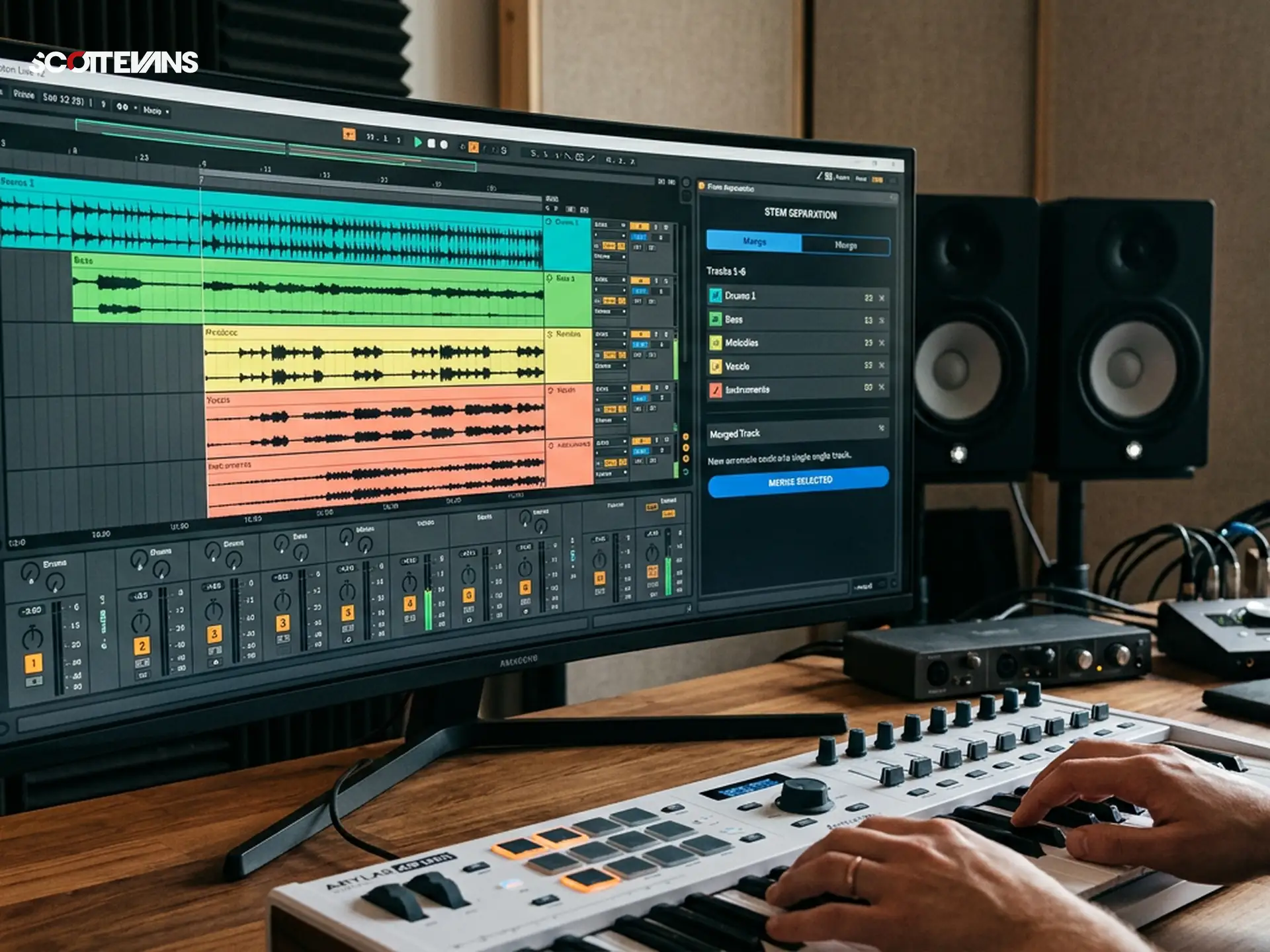
One of the most requested features since the introduction of stem separation in Live 12.3 has finally arrived: the ability to merge separated stems back onto a single track. Previously, separating drums, bass, vocals, and other elements created multiple individual tracks, cluttering your session and complicating the workflow.
Now, you can extract stems and immediately merge them onto a single track as layered clips. This is perfect for DJs who want to isolate a vocal from Track A and layer it over the instrumental of Track B without managing four separate audio channels. Use our Key Finder tool to ensure that your merged stems remain harmonically compatible with your DJ set's key structure.
This workflow improvement saves significant time when preparing acapellas or custom drum loops for your sets. The separation quality has also seen incremental improvements, with better handling of reverb tails and stereo pads.
Learn View: Education Inside Your DAW
Ableton has retired the old Help View and replaced it with Learn View, a structured educational environment mixing short video tutorials with interactive text. For DJs who are intimidated by Ableton's depth, this change lowers the barrier to entry significantly.
Instead of static documentation, Learn View offers contextual guidance. If you are working with the new Link Audio feature, the Learn panel will surface specific tutorials about network setup and troubleshooting. This just-in-time education approach means you spend less time searching forums and more time creating.
The videos are concise, typically under three minutes, and focus on single concepts. This micro-learning approach respects your time while ensuring you understand the powerful tools at your disposal.
How to Access the Ableton Live 12.4 Beta
Getting started with the beta requires an active Ableton Live 12 license and enrollment in the Ableton Beta Program. The update is free for all Live 12 owners, including those on the rent-to-own plan that Ableton introduced last year.
To install:
1. Sign into your Ableton account and navigate to the Beta section
2. Download the Live 12.4 installer for your operating system
3. Install alongside your stable Live 12 version (they can coexist)
4. Authorize using your existing Live 12 license
Remember that beta software may contain bugs. Industry sources recommend keeping your main performance rig on the stable release while testing 12.4 on a secondary machine or partition.
Integration with Modern DJ Workflows
Live 12.4 does not exist in a vacuum. For professional DJs using our Set-to-Content tool, the improved stem separation means you can quickly isolate elements from your recorded sets for social media clips. The Link Audio feature allows you to stream your live set processing through dedicated hardware without cable runs.
When preparing tracks for harmonic mixing, the combination of Live 12.4's stem tools and our Key Finder creates a powerful pre-production workflow. Separate a track into components, identify the key of the vocal stem versus the bassline, and create custom edits that transition smoothly between keys during your sets.
Frequently Asked Questions
Yes, the 12.4 update is completely free for anyone who owns Ableton Live 12, including Standard and Suite editions. You must enroll in the Ableton Beta Program to access the download, but there is no additional cost. This applies to perpetual license holders and those on the rent-to-own plan.